SmartPref Pro
4.7
average rating on the App Store and Google Play.
Game Interface

The player of the first hand is indicated in the title before deal is started
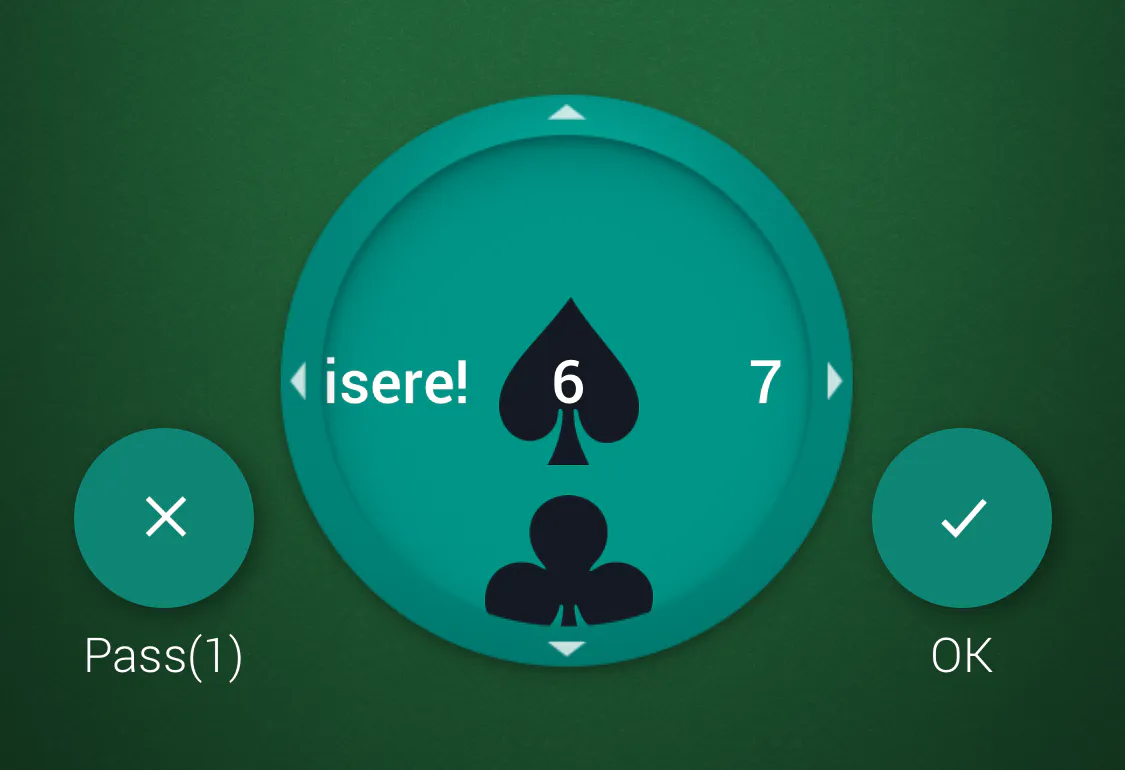
The trading panel. Here you can either select a contract - how many tricks you want take and a trump suit, or a pass if cards are not good enough
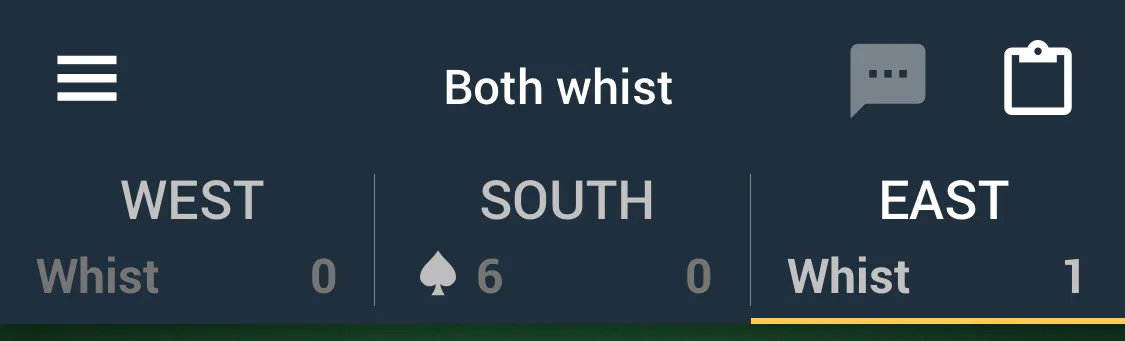
After the trade is complete the title is divided into three parts according to the number of players. If you play this deal, then you are always in the center, the next player is to your left, the previous one is to your right. The current player is highlighted in orange. The final order and the response of the defenders, as well as the collected tricks, are indicated in the field of each player.
Side Menu
You can make an offer to your partners and the deal ends if offer is accepted. List of available offers in the slide menu on the left side; offers are available on your turn. Player who made an offer has to show his cards to other players.
Hint
At any phase of the game during your turn you can take a hint. Calling the hint will show a detailed calculation of the current move, as if the bot was playing with your cards.
Pool
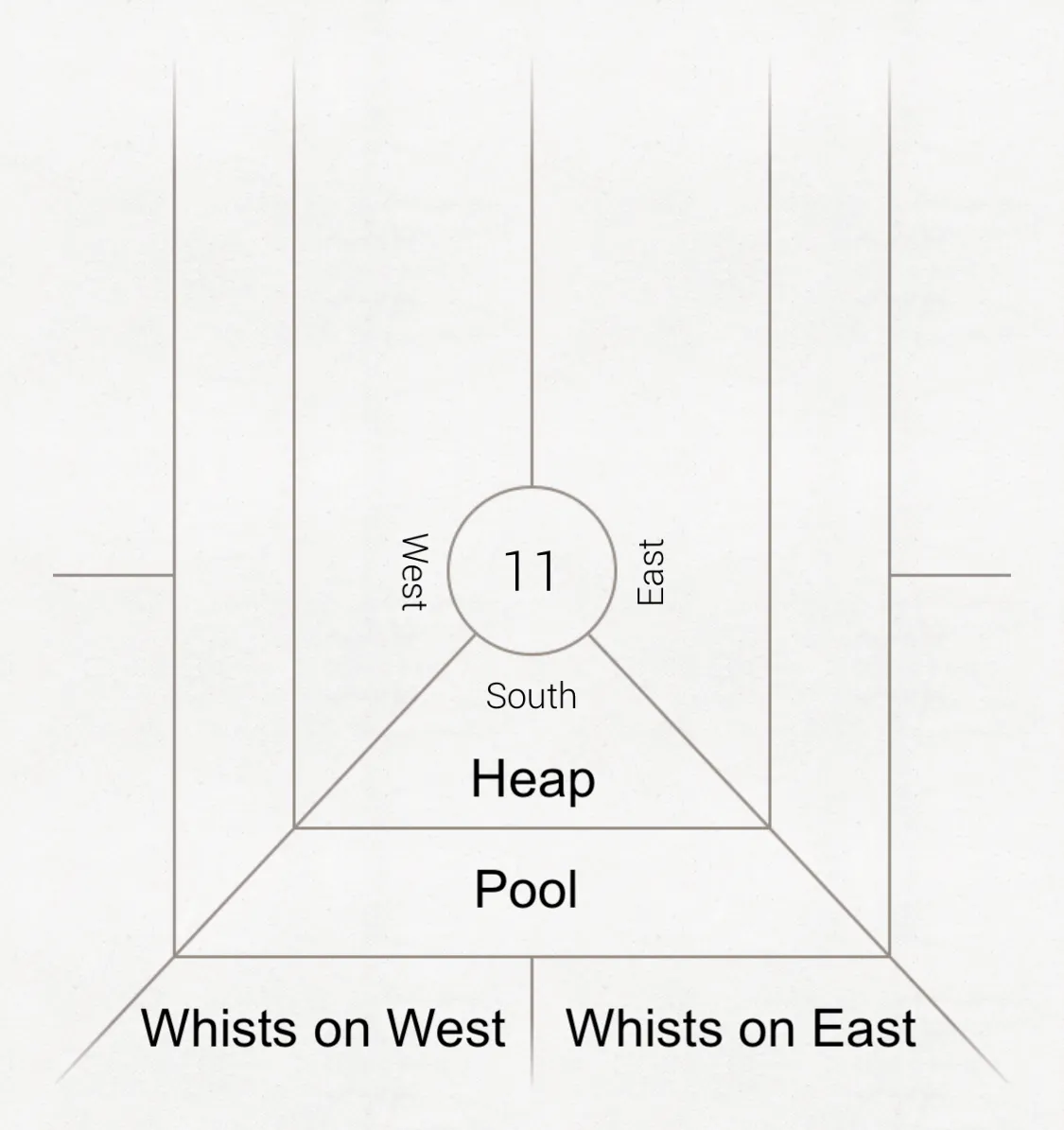
Each player's pool has three fields: the top field is the «heap». Heap field is for penalties: for non-fulfillment of the contract (see next chapter), for tricks at all pass game and others. The middle field is «pool». Gathering pool points is the main objective of the game; pool points are added for the fulfillment of the contract or if no trick were taken at the all pass. The group of lower fields - «whists», this is the direct debt of the player. Whist points are added for the tricks of the defenders.
Deal
You can make a move by double tap on the card or by dragging it onto the table. Only cards that can be used to make a move according to the rules are available for the move. Check the next chapter for more info about the rules.